

What is SMS? It is a short text message service (Short Message Service) sent over the mobile network without the need for internet access. A standard SMS holds up to 160 characters, although the exact limit depends on the encoding used. Companies use this technology to send notifications, reminders, one-time codes and marketing messages. We explain how SMS sending works, what it makes possible and what to know before using it in business.
The abbreviation SMS comes from the English Short Message Service, a service for short text messages. It allows messages to be sent between phones, as well as from IT systems to recipients' mobile numbers.
Unlike internet messengers, SMS does not require installing an additional app. The message can be received on a phone that supports the service and is within mobile network coverage.
In everyday language the word SMS refers both to the service itself and to a single message. Hence the popular phrases „send an SMS” or „receive an SMS”.
The first SMS was sent on 3 December 1992. British engineer Neil Papworth sent the message „Merry Christmas” from a computer to the phone of Vodafone employee Richard Jarvis.
The technology developed together with the GSM standard used in digital mobile telephony. Over time, SMS began to be used not only for private conversations but also for automated delivery of information by companies and institutions.
An SMS is passed through mobile operators' infrastructure. An important role in this process is played by the SMSC (Short Message Service Centre).
After sending, the SMS goes to the centre, which is responsible for passing it on. If the recipient's phone is switched off or temporarily unavailable, the SMSC can store the message and retry delivery.
How SMS works:
Sender's phone or system → SMS centre (SMSC) → operator network → recipient's phone
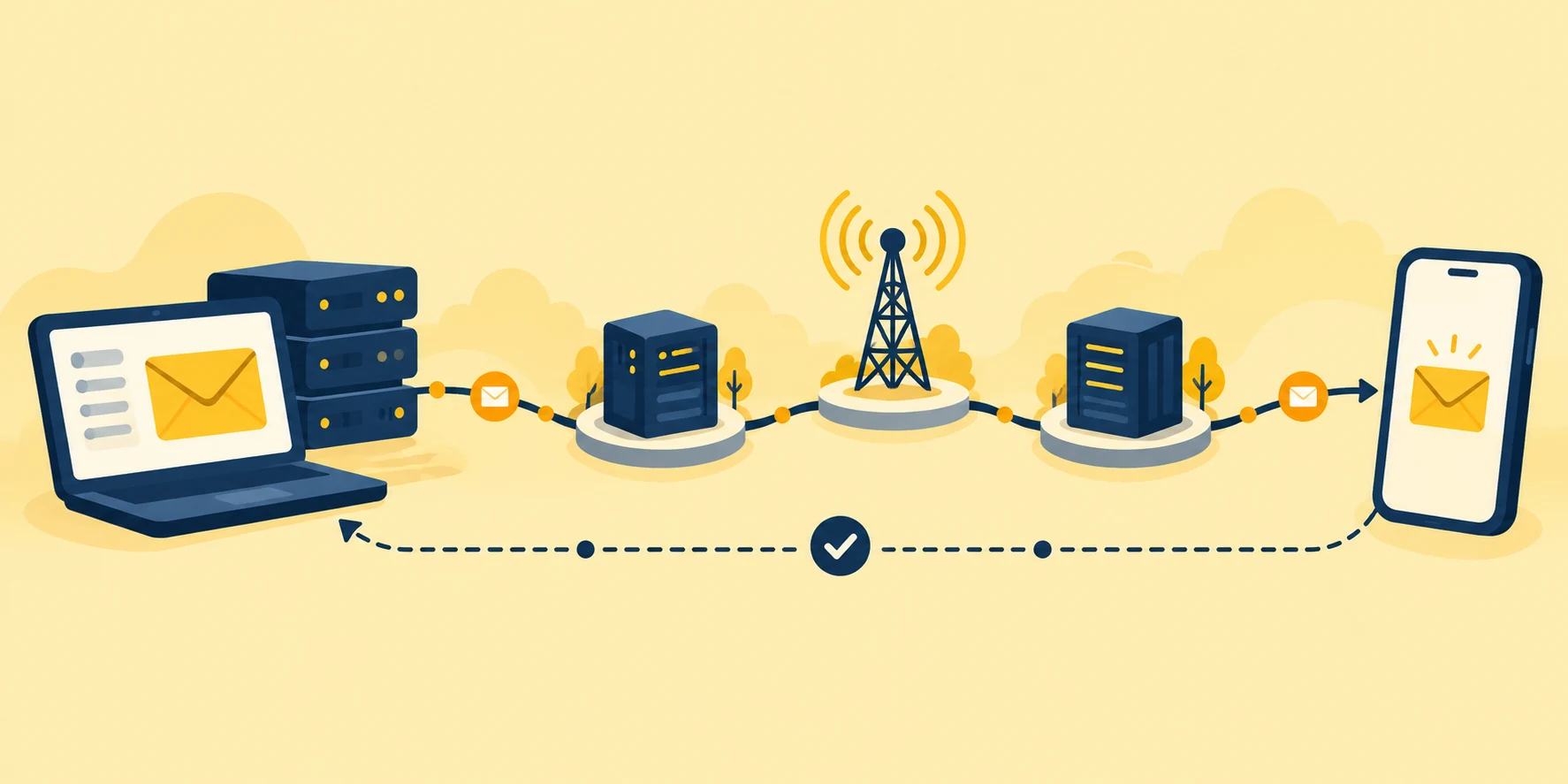
After the message is delivered, information about its status can return to the sender's system.
In business communication, messages are often sent using an SMS system connected to the telecommunications infrastructure via a gateway or an SMS server. Such a solution makes it possible to reach more recipients and use delivery reports.
Reports show whether the message reached the addressee's phone or whether there was a delivery problem. However, the „delivered” status does not mean that the recipient has read the SMS.
Telecommunications distinguishes two directions of sending messages:
The distinction between MO and MT is particularly important in services that enable two-way SMS communication.
A single SMS holds up to 160 characters in the basic GSM-7 encoding. If the message contains characters that require UCS-2 encoding, for example Polish letters ą, ę, ł or ś, the limit drops to 70 characters.
This is due to a technical limitation: a standard SMS can carry up to 140 bytes of user data.
| Encoding | Single SMS | Concatenated message – per part |
|---|---|---|
| GSM-7 | 160 characters | 153 characters |
| UCS-2 | 70 characters | 67 characters |
When the content exceeds the limit of a single SMS, it is split into several parts. The recipient's phone usually joins them and displays them as one message.
This matters for costs. A message containing Polish characters may require more parts than the same text written without diacritics. If each part is billed separately, the total price of sending the message will increase.
Some symbols and emoji also affect the available limit. Read more about this in the article on abbreviations and emoji in SMS.
SMS is used primarily to send text, MMS allows multimedia to be attached, and internet messengers let you hold conversations and exchange photos and files.
The main differences concern the message format, limits, transmission method and costs.
| Channel | Format | Limit | Internet | Cost | Use |
|---|---|---|---|---|---|
| SMS | Text | 160 or 70 characters per single SMS | Not required on the recipient's phone | According to the tariff and number of parts | Notifications, reminders, codes |
| MMS | Text, photos, multimedia | Depends on the operator | Data transmission within the operator's service | According to the MMS tariff | Multimedia messages |
| Messenger | Text, photos, files and more | Depends on the app | Required | Usually the cost of data transfer | Conversations, groups, file sharing |
An SMS is usually enough to pass on short information about a shipment or an appointment date. When the message is to contain graphics, MMS or a messenger can be used.
Companies can also use solutions for bulk MMS sending if they want to deliver multimedia materials to a larger group of recipients.
The choice of channel should depend on the purpose of communication and the type of information you want to convey. You will find a broader comparison in the article SMS or e-mail marketing.
SMS sending for companies lets you contact customers via a dedicated platform, without having to type in numbers manually and send each message from a phone.
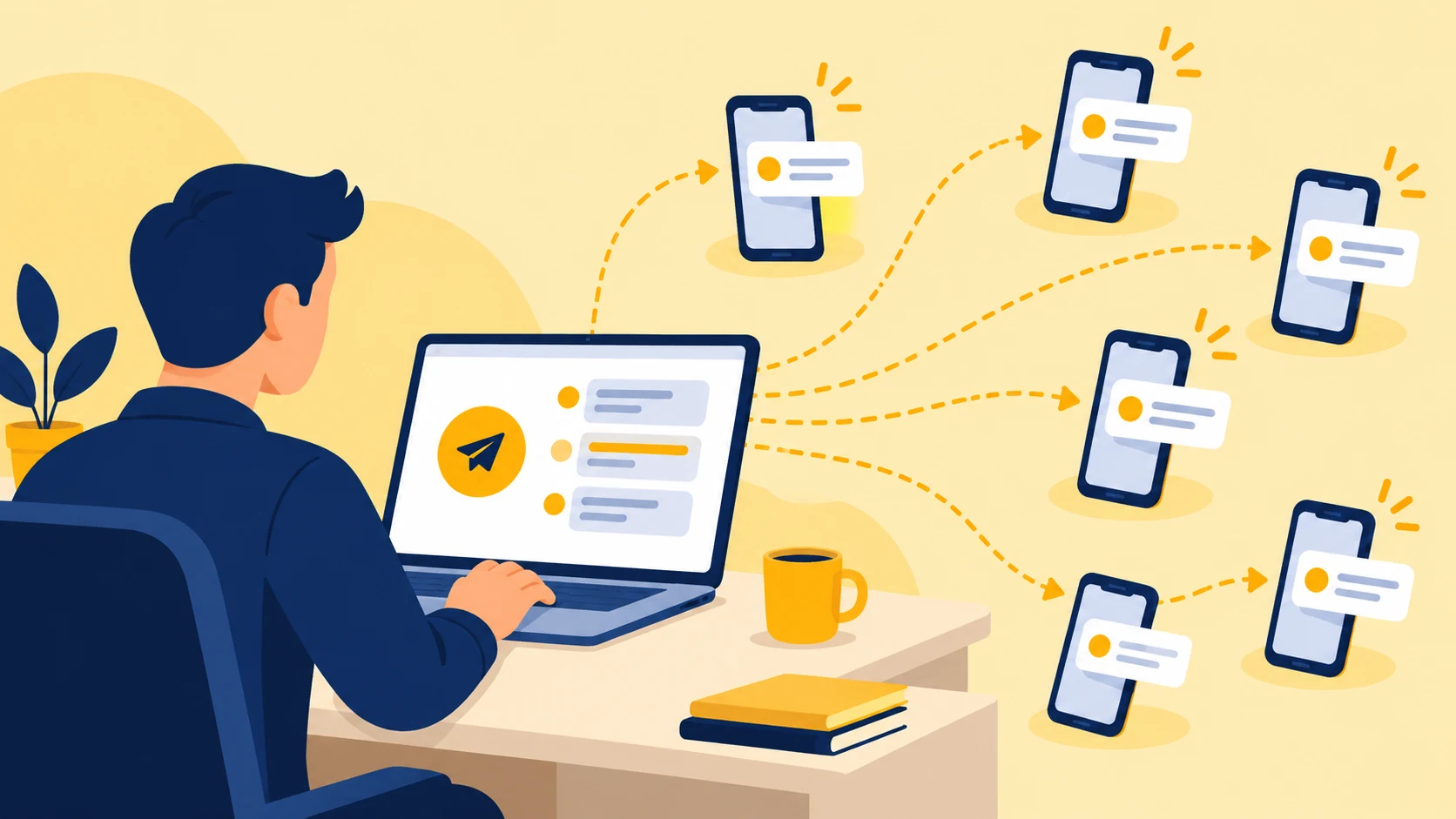
A company can prepare a list of recipients, set the message content, schedule the sending and check the delivery status. This is done with an SMS gateway, a system that connects the company to mobile operators' infrastructure.
Business communication also often uses a sender name displayed instead of a phone number. An alphanumeric sender name can have up to 11 characters. This way the recipient sees the name of the company that sent the message.
SMS-FLY offers SMS sending for companies via a web panel as well as solutions for integration with business software.
Business SMS can be divided into three basic groups:
Each of these types of messages has a different function. An order notification concerns customer service, while a promotional SMS is meant to encourage the recipient to take up an offer.
Read more in the article on types of SMS sending.
Sending SMS online is done via a platform that accepts messages from the sender and passes them to the mobile network. A company can use it through a browser or connect it to its own software.
There are four basic ways of organising such communication.
1. Web panel
Just log in to the platform, choose recipients, enter the content and start sending. You do not need to install a separate SMS sending program or have programming knowledge.
2. Importing contacts from a file
If a company has a larger database of numbers, it can import it into the system instead of entering each contact manually. This is a convenient solution when preparing campaigns for specific groups of recipients.
3. SMS API
SMS API is an interface that connects the SMS gateway to other software. Thanks to it, the company's system can send messages automatically, e.g. after an order status changes.
4. Integrations with CRM and an online shop
The gateway can also be connected to the tools the company uses every day. Integrations with CRM and online shops let you link SMS communication to sales and customer service processes.
Contact import is a panel feature, while API and integrations are used to automate more complex activities. The choice of sending method depends on how often the company contacts recipients and which systems it uses.
Automated SMS sending means a message is triggered by a specific event. This can be placing an order, a change in shipment status or an upcoming appointment.
Recurring SMS sending, on the other hand, follows a set schedule, e.g. every week or on a specific day of the month.
In both cases the company prepares the content and sending rules in advance, and the system carries out the communication without having to start it manually each time.
Want to send SMS to your customers?
Create an SMS-FLY account and prepare your first campaign in the web panel. You can also connect the SMS gateway to the system your company uses.
Create an account
Preparing a campaign for a larger number of recipients requires a few basic actions – from tidying up the contact database to checking delivery reports.
1. Prepare the recipient database and check consents
Collect phone numbers, remove duplicates and verify that you may contact the recipients for the planned purpose. Marketing messages require appropriate consent.
2. Write the SMS content
The message should clearly convey the most important information. Check its length, the number of billed parts and the correctness of the data used for personalisation.
3. Set the sender name
Choose a sender name that recipients will be able to associate with your company. Make sure it meets the requirements for using this feature.
4. Schedule the sending
The campaign can be started immediately or scheduled for a specific date and time. For marketing communication it is worth thinking about the time of contact. You will find more in the guide when to send SMS to customers.
5. Check the SMS sending reports
After the campaign ends, analyse the message statuses. The reports will show which SMS were delivered and where there was a problem.
The details of the solution are described on the bulk SMS sending page.
SMS is used in many industries to pass on short information about services, orders or dates. Here are five examples of such messages.

E-commerce and courier companies
Online shops inform customers about order fulfilment, and courier companies can notify them about planned parcel delivery.
Example SMS:
Your parcel no. [number] has been handed to the courier. Check the delivery status here: [link].
Medical facilities
Text messages are used to remind patients about appointments and pass on organisational information.
Example SMS:
A reminder about your appointment on [date] at [time]. If you need to change the date, please contact reception.
Transport
Carriers can inform passengers about delays, changed departure times and other travel updates.
Example SMS:
The departure of service [number] has been moved to [time]. We apologise for the inconvenience.
Schools and educational institutions
SMS lets you pass on information about timetable changes, meetings or organisational events.
Example SMS:
Classes for group [name] on [date] will exceptionally start at [time].
Administration
Offices and public institutions can use text messages to inform residents about organisational matters, in line with the rules that apply to them.
Example SMS:
On [date], between [hours], the water supply on [name] street will be interrupted.
All of the above messages are examples. We describe more uses in the article how SMS sending supports the service sector.
The price depends mainly on the number of messages and how they are billed. The length of the text also matters – if an SMS is split into several parts, each of them may be billed separately.
The cost is affected by three main factors:
SMS-FLY prices start from PLN 0.054 per SMS. This rate applies to an appropriate message volume. For smaller volumes, higher unit prices may apply.
Before starting a campaign, it is therefore worth estimating the number of recipients and checking how many parts the prepared message will have.
You will find detailed rates and billing terms in the SMS-FLY price list.
Secure SMS communication in a company requires protecting recipients' data, securing the sending system and complying with regulations on contacting customers. The most relevant here are the GDPR, the Polish Electronic Communications Law and the regulations on combating abuse in electronic communications.
Consent to marketing communication
Art. 398 of the Polish Electronic Communications Law requires the prior consent of the subscriber or end user to sending commercial information, including direct marketing, using the means of communication indicated in the provision.
Simply having a customer's phone number does not entitle a business to send them promotional offers.
Transactional vs marketing SMS
Not every business message is advertising. Information that an ordered parcel has been shipped concerns the fulfilment of a purchase, while an encouragement to use a promotion is marketing in nature.
If a company combines these two types of content in one message, it must take into account the regulations on sending commercial information. Regardless of the purpose of the message, processing personal data requires an appropriate legal basis and compliance with the GDPR.
Opting out of messages
The recipient can withdraw consent to marketing communication, and the company should provide them with an appropriate way to opt out.
One solution is replying „STOP”, provided the system supports replies. However, you should not assume this will also be possible when using an alphanumeric sender name.
Encryption and authentication
Protecting an SMS system includes, among other things, securing the connection to the platform and controlling access to user accounts. Two-factor authentication (2FA), which requires identity confirmation when logging in, can be an additional safeguard.
At the same time, platform security must be distinguished from protecting the message content. Traditional SMS does not provide end-to-end encryption as standard, i.e. protection of the message along the entire path between sender and recipient.
SMS messages are also used to send verification codes, which are an additional security element when logging in or confirming operations.
Protection against sender impersonation
Fraudsters can impersonate well-known companies and institutions to persuade recipients to open a fake link or pass on confidential data.
The Polish act on combating abuse in electronic communications provides for measures limiting such practices, including countering smishing and protecting the sender names of public entities.
However, the name displayed as the sender does not guarantee that the message is authentic. Particular caution should be exercised with SMS asking for urgent payment, a password or card details.
You will find more information on the page GDPR-compliant SMS sending.
SMS stands for Short Message Service, a service for short text messages. It allows messages to be sent over the mobile network.
A single SMS holds 160 characters as standard in GSM-7 encoding or 70 characters in UCS-2. For concatenated messages, the typical limits are 153 and 67 characters per part respectively.
An info SMS is a short informational message, e.g. about an order or an appointment date. An SMS notification is a message sent in connection with a specific event, often automatically.
SMS is used mainly to send text, while MMS allows photos and other multimedia to be attached. The two services also differ in transmission method, limits and billing rules.
You can use an SMS gateway in a browser, import a contact database or connect the platform to your business system via API. This is how you prepare a campaign aimed at a selected group of recipients.
The price depends on the volume and the number of billed message parts. At SMS-FLY rates start from PLN 0.054 per SMS for an appropriate number of messages sent.
SMS is a technology used both for everyday contact and for business communication. With it, companies can send customers notifications, reminders, one-time codes and marketing messages.
When planning a campaign, what matters is not only the content and the recipient list, but also the costs and the rules on consents and data protection. It is worth taking them into account before launching the sending.
Create an account and send your first SMS
Start using SMS-FLY, prepare a list of recipients and create your first campaign. Check the available rates and choose the sending method that suits your company.
Create an account | See the price list