

SMS branding lets you replace an unknown phone number with your company or brand name, so the recipient immediately sees who sent the message. This matters especially today, when an SMS from a random number can raise suspicion or look like spam or a fraud attempt.
A sender name can have from 3 to 11 characters. In SMS-FLY you add it in the client panel and, once it is verified, you can use it for sending. Standard activation takes 5–10 days, and for urgent cases an express option from 1 day is available. The sender name itself is free of charge.
SMS branding means using an alphanumeric identifier that the recipient sees instead of a phone number. It can be, for example, the name of a company, a shop or a brand.
Instead of:
+48 123 456 789
the recipient will see:
MojaFirma
In practice you may come across several terms for this solution:
In this guide all of them refer to the identifier displayed with the message. In the Polish act on combating abuse in electronic communications, „nadpis” is also the formal term for the identifier of a short text message.
You may also come across the phrase „phone number branding”. It is not technically precise, because the number itself is not modified. Instead, an alphanumeric sender name appears with the SMS.
In practice, pay attention to two things: what the recipient sees as the sender and whether they can reply to the message.
| SMS with a sender name | SMS from a number | |
|---|---|---|
| What does the recipient see? | the company or brand name | a phone number |
| Can they reply? | not to an alphanumeric sender name | yes, if the number supports incoming SMS |
| Price per message | the sender name in SMS-FLY is free, you pay for the messages sent | depends on the chosen solution and price list |
| Verification | the name must be approved in advance | does not apply to a standard number in the same way |
| Typical uses | notifications, reminders, codes, marketing | communication that requires a reply from the customer |
An SMS with an alphanumeric Sender ID is one-way communication. The recipient cannot reply directly to a name such as „MojaFirma”.
If you want to receive replies from customers, you need a solution based on a number that supports incoming messages. For this purpose SMS-FLY offers, among others, the Individual Access Number (NDI).
You will notice the biggest advantage even before the message is read. Instead of an unknown number, the recipient immediately sees your brand name.
This makes the sender easier to recognise and can increase trust in the message. A recognisable Sender ID can also help the recipient tell expected brand communication apart from random spam and some smishing attempts. The name alone, however, does not guarantee that an SMS is authentic – fraudsters also try to impersonate well-known brands.
Branding can also support better campaign results. A recipient who recognises the sender may be more willing to read the message and click the link in it, which can translate into, among other things, a higher CTR. With a standard SMS, however, open rate is not measured the way it is in e-mail marketing, so the real effect is best assessed by measurable recipient actions such as clicks or conversions. There is no single universal uplift – the result depends on the database, the content, the offer and how the campaign is run.
A sender name has one more practical advantage – it does not take up space in the SMS text. If the recipient already sees „MojaFirma”, you do not need to start the message with the signature „This is MojaFirma”. You can use the available characters for the actual message, a link or a CTA.
If you want to send an SMS with your company name, the Sender ID has to be prepared before the campaign starts. The name does not become active immediately after you enter it in the panel.
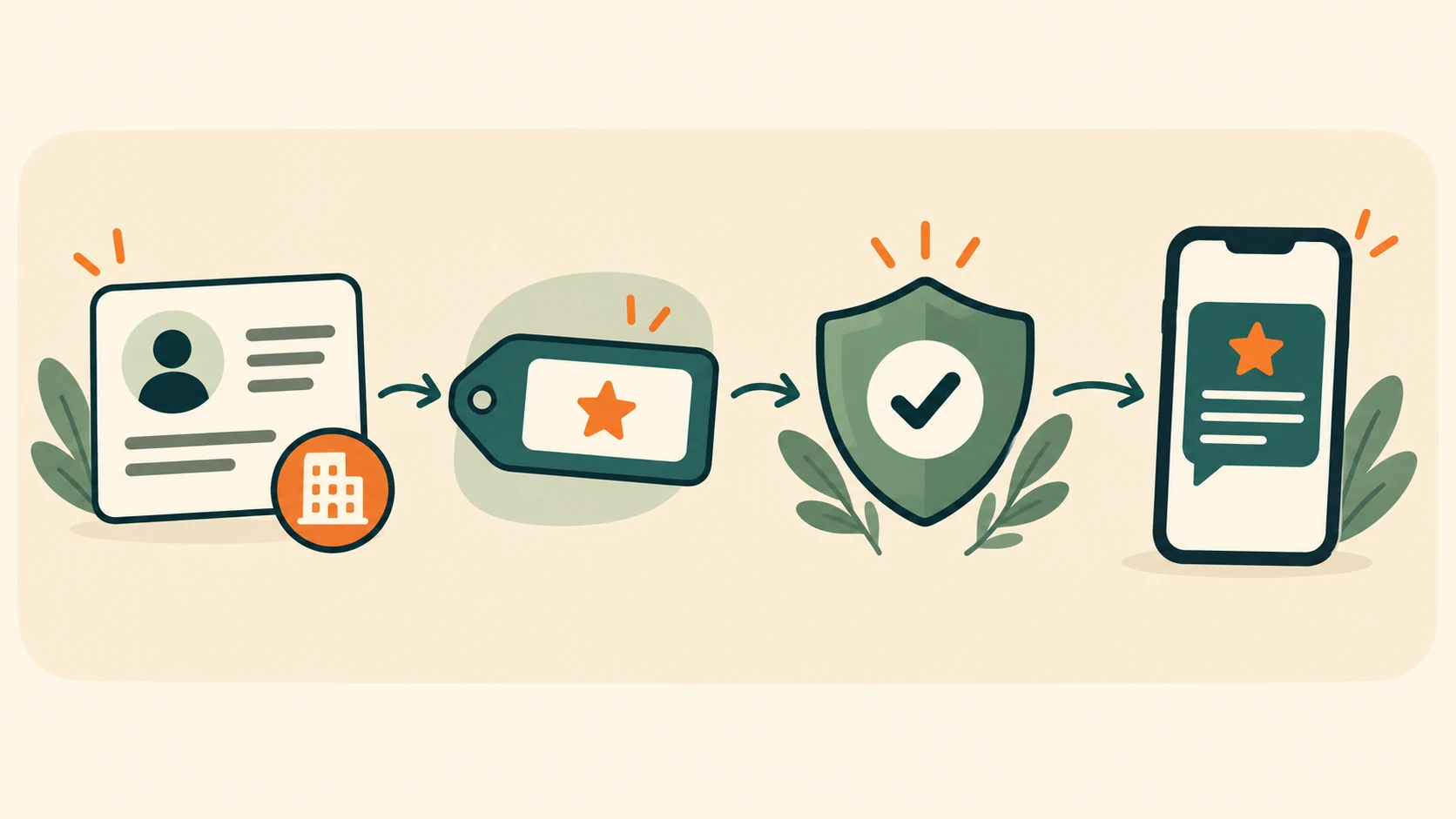
The first step is to create an account and provide your company details.
They are needed, among other things, to verify that you have the right to use the name you submit. In certain cases SMS-FLY may ask for additional documents or a statement confirming your right to the brand, name or trademark.
This does not mean that the same set of documents will be required for every Sender ID. The scope of verification depends on the specific name.
After logging in, go to the sender name management section and add the Sender ID you want to use.
Before submitting it, check above all:
If the full company name is too long, choose a clear and recognisable abbreviation.
Standard Sender ID activation in SMS-FLY takes 5–10 days. For urgent cases you can use express activation from 1 day.
Verification is not just a formality. Its purpose is, among other things, to reduce the risk of impersonating other companies and brands and of a fake sender name being used for smishing.
That is why it is worth submitting the name well in advance, especially if the campaign is to start on a specific date.
For questions about your submission you can contact SMS-FLY support Monday to Friday, 9:00–18:00.
After activation you can select the approved name as the sender of the message you are preparing.
An SMS gateway with a sender name lets you use the Sender ID in campaigns created directly in the panel. You can also use the name for automated sending integrated with your own system.
In the SMS-FLY API the Sender ID is passed in the source parameter. There is also a GETSOURCES action that lets you retrieve the list of sender names assigned to your account.
This is useful, for example, for automatic order confirmations, authorisation codes, appointment reminders or transactional notifications.
Create a free account and add your sender name. In SMS-FLY the Sender ID is free, and you can use many approved names on one account.
In the GSM standard the sender field uses alphanumeric characters and has a limited length. In SMS-FLY the sender name should have from 3 to 11 characters.
| Element | Rule |
|---|---|
| Length | from 3 to 11 characters |
| Letters | A–Z and a–z, no Polish diacritics |
| Digits | allowed |
| Space | allowed |
| Symbols | selected symbols are allowed |
| Letters and digits | the name must contain at least one letter |
| Consecutive digits | at most 2 digits in a row |
| Phone number | the name must not look like a phone number |
A name shorter than 3 characters may be displayed incorrectly on some iPhones. That is why three characters are best treated as the practical minimum.
A Sender ID can be rejected both for technical reasons and because of what it suggests to the recipient.
Common reasons include:
Example:
| Name | Assessment |
|---|---|
| SklepAnna | correct, if it matches the sender's brand |
| Sklep2024 | to be rejected – contains more than 2 digits in a row |
| MójSklep | needs correction – contains a Polish character |
| BANK | may be rejected as generic or misleading |
| 123456789 | not allowed – looks like a number and contains no letter |
The final decision is made during name verification.
The best Sender ID is one the recipient does not have to decode.
If your brand name fits within the limit, it is usually best to use it as is. If it is too long, choose an abbreviation that customers actually associate with your company.
Also keep it consistent with the name shown on your website, domain, logo or app. In the sender field, clear use of upper and lower case also works well, e.g. MojaFirma instead of a random combination of characters.
If you send different types of messages, you can also use separate sender names for different purposes – e.g. one for marketing and another for notifications or transactional communication.
SMS-FLY lets you use multiple sender names on one account.
A sender name helps the recipient recognise your company, but remember: on its own it does not give a 100% guarantee that the message is authentic.
In smishing attacks, criminals try to impersonate banks, courier companies, operators or public institutions. That is why you should only use names you have the right to, and treat sender name verification as an important part of protection against abuse.

The Polish act of 28 July 2023 on combating abuse in electronic communications defines „nadpis” as the identifier of a short text message.
CSIRT NASK maintains a list of sender names reserved for public entities. It covers names, abbreviations and variants that could be used to impersonate the protected entities.
Operators are obliged to block messages using such a sender name if they do not come from the authorised entity.
If you run a private company, one thing is important: verification of a name in SMS-FLY does not mean an entry in the statutory list maintained by CSIRT NASK. These are two separate mechanisms, so an approved brand Sender ID does not automatically receive the same protection as the sender name of a public entity.
The act essentially came into force on 25 September 2023, and some of the obligations arising from it began to apply later.
No. SMS branding does not replace the consent required for marketing communication.
The Polish Electronic Communications Law regulates the use of telecommunications terminal equipment to send commercial information, including direct marketing. If you send marketing SMS, you must make sure you have the recipient's appropriate consent.
At the same time, the way recipients' personal data is collected, stored and used must comply with the GDPR.
In marketing messages, include information on how the recipient can opt out of further messages, e.g. via a link or another simple unsubscribe path.
Also remember that not every SMS sent by a company is marketing. An order confirmation, a notice about a changed appointment or a message about a service being provided may be of a different nature. What matters above all is the purpose and content of the message.
Legal status: 12 October 2026. This information is general in nature and does not constitute legal advice. Regulations and their application may change.
If you send SMS abroad, do not assume that a Sender ID will work the same way everywhere.
In some countries you must register a Sender ID before sending starts. In others the name may be replaced with a number, or you may face additional restrictions on the format and type of sender.
If you are planning an international campaign, contact your SMS-FLY account manager before sending and check the requirements for the specific country.
A Sender ID works well both in marketing and in everyday customer service.
Sender: ModaNova
Your order no. 4821 has been shipped. Check the shipment status: [link]
Sender: ModaNova
Until Sunday only: -20% on the autumn collection. Code JESIEN20. See: [link]. Unsubscribe: [link]
Sender: MediPlus
A reminder about your appointment on 12.10 at 15:30. To change the date, please contact reception: [number]
Sender: BellaSpa
We have a free slot tomorrow at 17:00. Book: [link]
Sender: FastBox
Parcel no. 81725 is ready for pickup. Pickup code: 4281.
Sender: FastBox
The courier will deliver your parcel today between 14:00 and 16:00. Status: [link]
Sender: Bistro21
We confirm your booking for 10.10 at 19:00, 4 people. See you soon!
Sender: Bistro21
Our weekend menu is now available. Book a table: [link]. Unsubscribe: [link]
Sender: AutoSerwis
Your car is ready for pickup. You are welcome today until 18:00.
Sender: MojaFirma
Operation confirmation code: 573921. Do not share it with anyone.
The name should have from 3 to 11 characters. You can use Latin letters A–Z and a–z, digits, spaces and selected symbols. The name must contain at least one letter, cannot have more than 2 digits in a row and must not look like a phone number.
The sender name itself is free in SMS-FLY. You pay for the messages sent according to the current price list and the chosen volume.
No. An alphanumeric Sender ID is used for one-way communication. If you want to receive replies from customers, you need a number that supports incoming messages, e.g. the NDI solution.
Standard name activation in SMS-FLY takes 5–10 days. For urgent cases express activation from 1 day is available.
Yes, but the new Sender ID must also be submitted and approved before sending starts.
Not without the appropriate right or consent. SMS-FLY may ask for documents confirming that you may use the given name, brand or trademark.
In SMS-FLY you can use multiple sender names. Each of them, however, must meet the requirements and be approved.
The most common reasons are disallowed characters, exceeding the 11-character limit, too many digits, no letter, a misleading name, no connection with the company, or an attempt to use someone else's brand without authorisation.
SMS branding means the recipient sees your company name instead of an unknown number. This makes the sender easier to identify, strengthens the consistency of your communication and can increase the chance that the message will be read and prompt the recipient to act.
Remember the three most important rules: the name should have from 3 to 11 characters, it must be verified before use, and an SMS with an alphanumeric Sender ID is one-way communication.
In SMS-FLY the sender name is free, and standard activation takes 5–10 days. If you are planning a campaign for a specific date, submit it well in advance.
Create an account, add your own sender name and send SMS with your company name.